Journals need more animated GIFs
Thursday, 9th August 2007
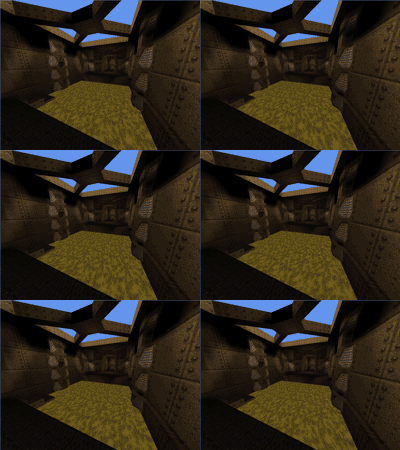
Pixel shaders are fun.
I've implemented support for decoding mip-maps from mip textures (embedded in the BSP) and from WAL files (external).
Now, I know that non-power-of-two textures are naughty. Quake uses a number of them, and when loading textures previously I've just let Direct3D do its thing which has appeared to work well.
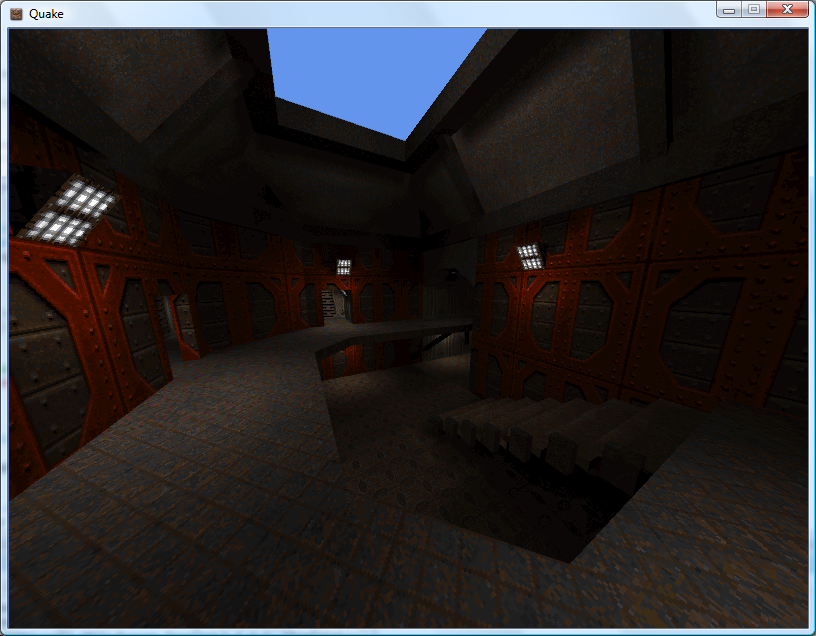
However, now that I'm directly populating the entire texture, mip-maps and all, I found that Texture2D.SetData was throwing exceptions when I was attempting to shoe-horn in a non-power-of-two texture. Strange. I hacked together a pair of extensions to the Picture class - GetResized(width, height) which returns a resized picture (nearest-neighbour, naturally) - and GetPowerOfTwo(), which returns a picture scaled up to the next power-of-two size if required.
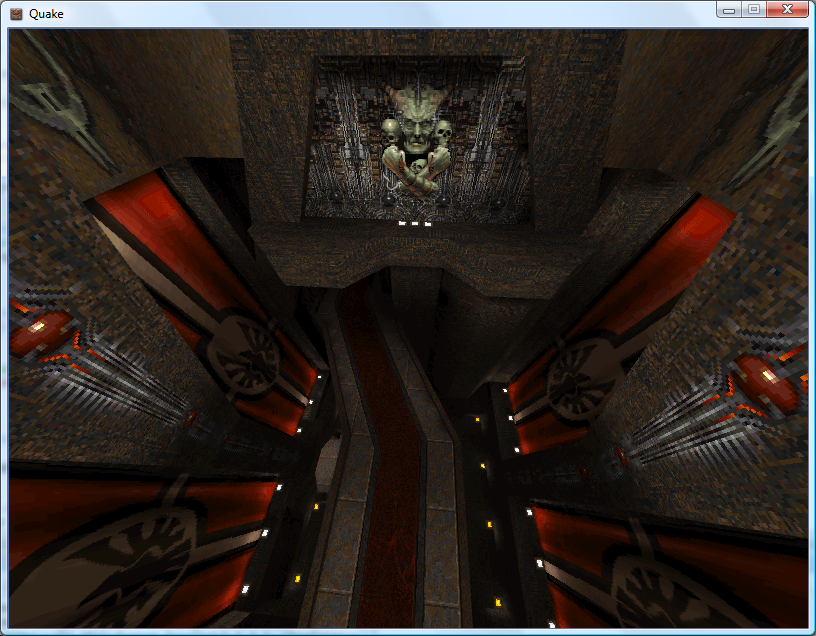
All textures now load correctly, and I can't help but notice that the strangely distorted textures - which I'd put down to crazy texture coordinates - now render correctly! It turns out that all of the distorted textures were non-power-of-two.
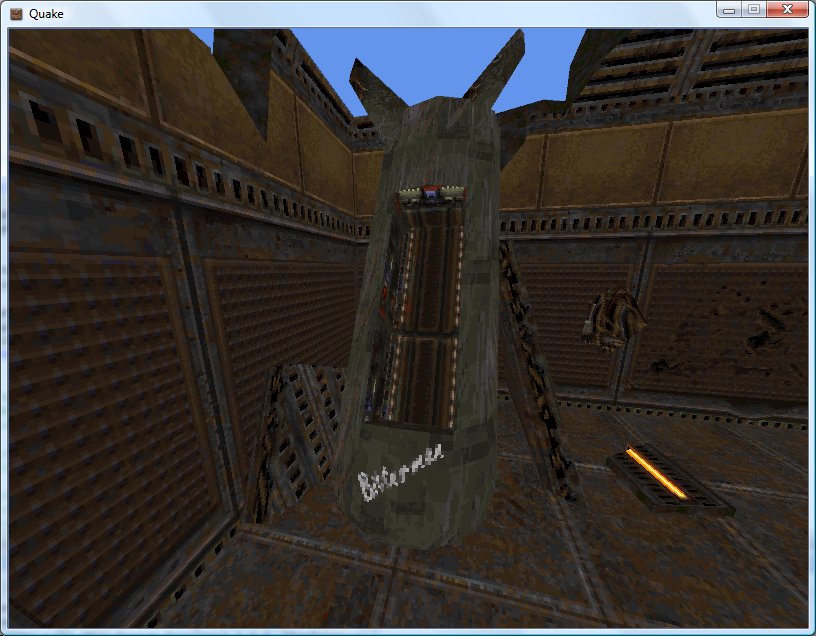
The screenshots above demonstrate that Quake 2 is also handled by the software-rendering simulation. The current effect file for the world is as follows:
uniform extern float4x4 WorldViewProj : WORLDVIEWPROJECTION;

uniform extern float Time;
uniform extern bool Rippling;

uniform extern texture DiffuseTexture;
uniform extern texture LightMapTexture;

uniform extern texture ColourMap;

struct VS_OUTPUT {
	float4 Position : POSITION;
	float2 DiffuseTextureCoordinate : TEXCOORD0;
	float2 LightMapTextureCoordinate : TEXCOORD1;
	float3 SourcePosition: TEXCOORD2;
};

sampler DiffuseTextureSampler = sampler_state {
	texture = <DiffuseTexture>;
	mipfilter = POINT;
};

sampler LightMapTextureSampler = sampler_state {
	texture = <LightMapTexture>;
	mipfilter = LINEAR;
	minfilter = LINEAR;
	magfilter = LINEAR;
};

sampler ColourMapSampler = sampler_state {
	texture = <ColourMap>;
	addressu = CLAMP;
	addressv = CLAMP;
};

VS_OUTPUT Transform(float4 Position : POSITION0, float2 DiffuseTextureCoordinate : TEXCOORD0, float2 LightMapTextureCoordinate : TEXCOORD1) {

	VS_OUTPUT Out = (VS_OUTPUT)0;

	// Transform the input vertex position:
	Out.Position = mul(Position, WorldViewProj);

	// Copy the other values straight into the output for use in the pixel shader.
	Out.DiffuseTextureCoordinate = DiffuseTextureCoordinate;
	Out.LightMapTextureCoordinate = LightMapTextureCoordinate;
	Out.SourcePosition = Position;

	return Out;
}

float4 ApplyTexture(VS_OUTPUT vsout) : COLOR {

	// Start with the original diffuse texture coordinate:
	float2 DiffuseCoord = vsout.DiffuseTextureCoordinate;

	// If the surface is "rippling", wobble the texture coordinate.
	if (Rippling) {
		float2 RippleOffset = { sin(Time + vsout.SourcePosition.x / 32) / 8, cos(Time + vsout.SourcePosition.z / 32) / 8 };
		DiffuseCoord += RippleOffset;
	}

	// Calculate the colour map look-up coordinate from the diffuse and lightmap textures:
	float2 ColourMapIndex = {
		tex2D(DiffuseTextureSampler, DiffuseCoord).a,
		1 - (float)tex2D(LightMapTextureSampler, vsout.LightMapTextureCoordinate).rgba
	};

	// Look up and return the value from the colour map.
	return tex2D(ColourMapSampler, ColourMapIndex).rgba;
}

technique TransformAndTexture {
	pass P0 {
		vertexShader = compile vs_2_0 Transform();
		pixelShader  = compile ps_2_0 ApplyTexture();
	}
}
It would no doubt be faster to have two techniques; one for rippling surfaces and one for still surfaces. It is, however, easier to use the above and switch the rippling on and off when required (rather than group surfaces and switch techniques). Given that the framerate rises from ~135FPS to ~137FPS on my video card if I remove the ripple effect altogether, it doesn't seem worth it.
Sorting out the order in which polygons are drawn looks like it's going to get important, as I need to support alpha-blended surfaces for Quake 2, and there are some nasty areas of Z-fighting cropping up.
Alpha-blending in 8-bit? Software Quake didn't support any sort of alpha blending (hence the need to re-vis levels for use with Quake GL as underneath the opaque waters were marked as invisible), and Quake 2 has a data file that maps 16-bit colour values to 8-bit palette indices. Quake 2 also had a "stipple alpha" mode used a dither pattern to handle the two translucent surface opacities (1/3 and 2/3 ratios).
Shaders
Tuesday, 7th August 2007
Following sirob's prompting, I dropped the BasicEffect for rendering and rolled my own effect. After seeing the things that could be done with them (pixel and vertex shaders) I'd assumed they'd be hard to put together, and that I'd need to change my code significantly.
In reality all I've had to do is copy and paste the sample from the SDK documentation, load it into the engine (via the content pipeline), create a custom vertex declaration to handle two sets of texture coordinates (diffuse and lightmap) and strip out all of the duplicate code I had for creating and rendering from two vertex arrays.
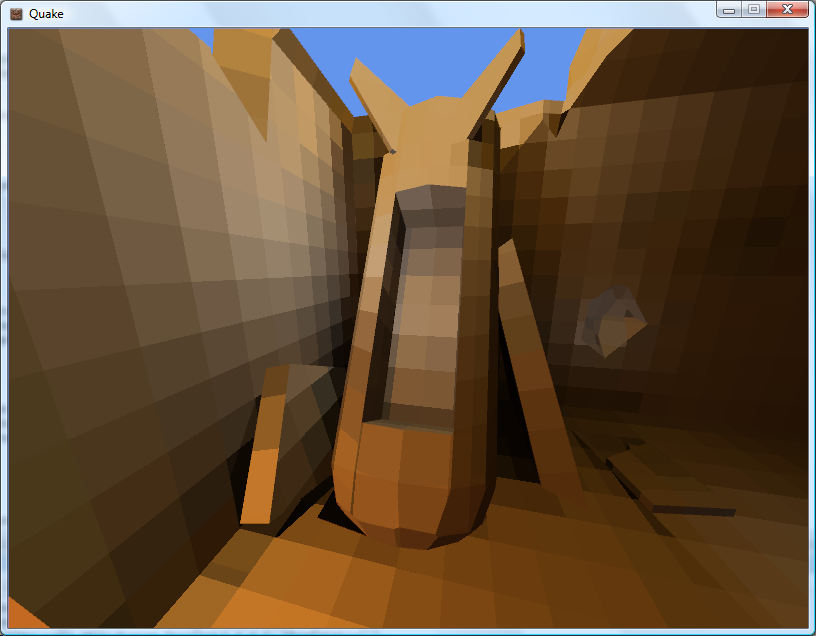
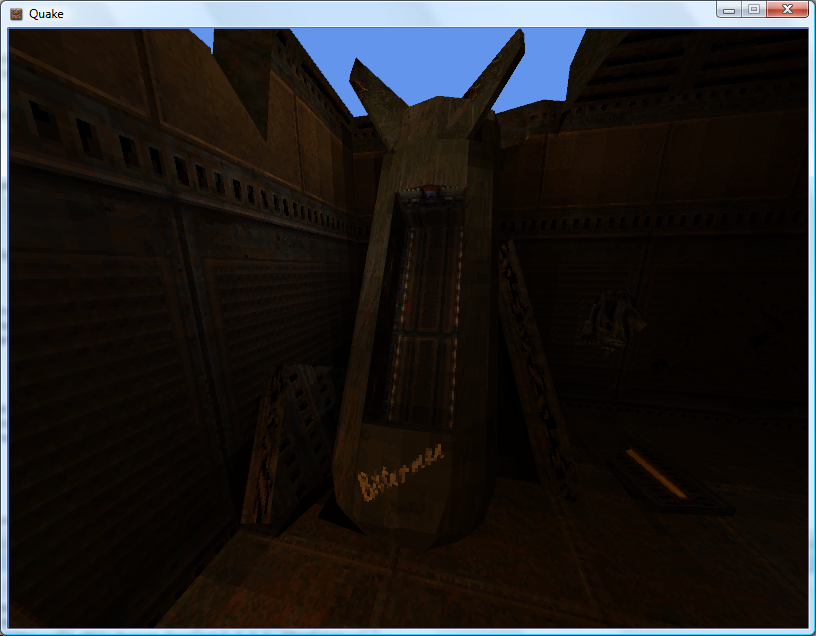
[StructLayout(LayoutKind.Sequential)]
public struct VertexPositionTextureDiffuseLightMap {

	public Xna.Vector3 Position;
	public Xna.Vector2 DiffuseTextureCoordinate;
	public Xna.Vector2 LightMapTextureCoordinate;

	public VertexPositionTextureDiffuseLightMap(Xna.Vector3 position, Xna.Vector2 diffuse, Xna.Vector2 lightMap) {
		this.Position = position;
		this.DiffuseTextureCoordinate = diffuse;
		this.LightMapTextureCoordinate = lightMap;
	}

	public readonly static VertexElement[] VertexElements = new VertexElement[]{
		new VertexElement(0, 0, VertexElementFormat.Vector3, VertexElementMethod.Default, VertexElementUsage.Position, 0),
		new VertexElement(0, 12, VertexElementFormat.Vector2, VertexElementMethod.Default, VertexElementUsage.TextureCoordinate, 0),
		new VertexElement(0, 20, VertexElementFormat.Vector2, VertexElementMethod.Default, VertexElementUsage.TextureCoordinate, 1)
	};

}
uniform extern float4x4 WorldViewProj : WORLDVIEWPROJECTION;

uniform extern texture DiffuseTexture;
uniform extern texture LightMapTexture;

uniform extern float Time;

struct VS_OUTPUT {
    float4 Position : POSITION;
    float2 DiffuseTextureCoordinate : TEXCOORD0;
    float2 LightMapTextureCoordinate : TEXCOORD1;
};

sampler DiffuseTextureSampler = sampler_state {
    Texture = <DiffuseTexture>;
    mipfilter = LINEAR;
};

sampler LightMapTextureSampler = sampler_state {
	Texture = <LightMapTexture>;
	mipfilter = LINEAR;
};

VS_OUTPUT Transform(float4 Position : POSITION, float2 DiffuseTextureCoordinate : TEXCOORD0, float2 LightMapTextureCoordinate : TEXCOORD1) {

    VS_OUTPUT Out = (VS_OUTPUT)0;

    Out.Position = mul(Position, WorldViewProj);
    Out.DiffuseTextureCoordinate = DiffuseTextureCoordinate;
    Out.LightMapTextureCoordinate = LightMapTextureCoordinate;

    return Out;
}

float4 ApplyTexture(VS_OUTPUT vsout) : COLOR {
	float4 DiffuseColour = tex2D(DiffuseTextureSampler, vsout.DiffuseTextureCoordinate).rgba;
	float4 LightMapColour = tex2D(LightMapTextureSampler, vsout.LightMapTextureCoordinate).rgba;
    return DiffuseColour * LightMapColour;
}

technique TransformAndTexture {
    pass P0 {
        vertexShader = compile vs_2_0 Transform();
        pixelShader  = compile ps_2_0 ApplyTexture();
    }
}
Of course, now I have that up and running I might as well have a play with it...
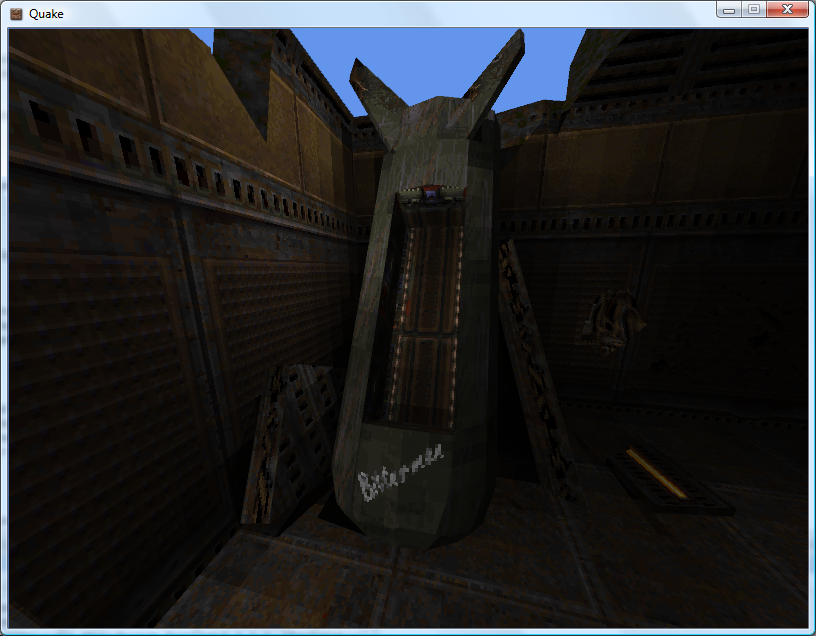
By adding up and dividing the individual RGB components of the lightmap texture by three you can simulate the monochromatic lightmaps used by Quake 2's software renderer. Sadly I know not of a technique to go the other way and provide colourful lightmaps for Quake 1.  Not very interesting, though.
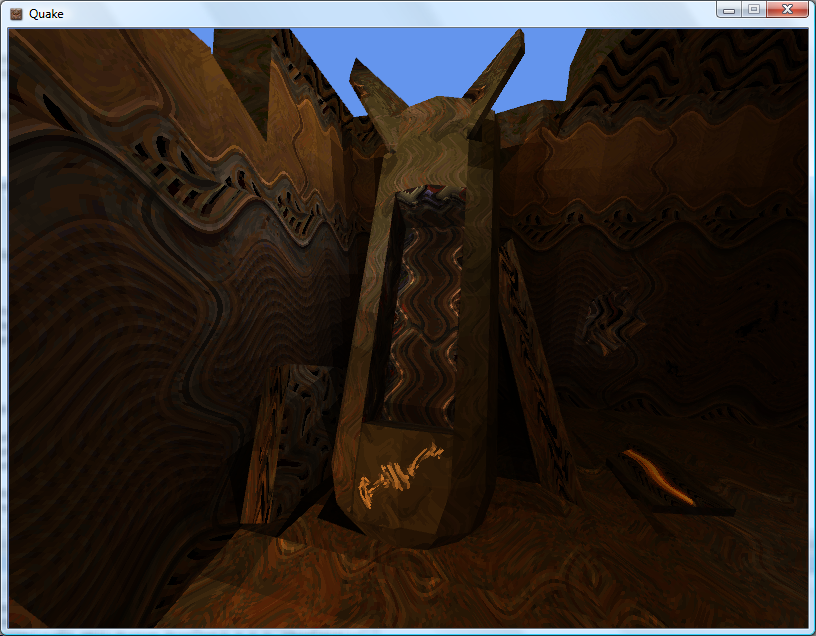
I've always wanted to do something with pixel shaders as you get to play with tricks that are a given in software rendering with the speed of dedicated hardware acceleration. I get the feeling that the effect (or a variation of it, at least) will be handy for watery textures.
float4 ApplyTexture(VS_OUTPUT vsout) : COLOR {

	float2 RippledTexture = vsout.DiffuseTextureCoordinate;

	RippledTexture.x += sin(vsout.DiffuseTextureCoordinate.y * 16 + Time) / 16;
	RippledTexture.y += sin(vsout.DiffuseTextureCoordinate.x * 16 + Time) / 16;

	float4 DiffuseColour = tex2D(DiffuseTextureSampler, RippledTexture).rgba;
	float4 LightMapColour = tex2D(LightMapTextureSampler, vsout.LightMapTextureCoordinate).rgba;

	return DiffuseColour * LightMapColour;

}
My code is no doubt suboptimal (and downright stupid).
Naturally, I needed to try and duplicate Scet's software rendering simulation trick.
The colour map (gfx/colormap.lmp) is a 256×64 array of bytes. Each byte is an index to a colour palette entry, on the X axis is the colour and on the Y axis is the brightness: ie, RGBColour = Palette[ColourMap[DiffuseColour, Brightness]]. I cram the original diffuse colour palette index into the (unused) alpha channel of the ARGB texture, and leave the lightmaps untouched.
float2 LookUp = 0;
LookUp.x = tex2D(DiffuseTextureSampler, vsout.DiffuseTextureCoordinate).a;
LookUp.y = (1 - tex2D(LightMapTextureSampler, vsout.LightMapTextureCoordinate).r) / 4;
return tex2D(ColourMapTextureSampler, LookUp);
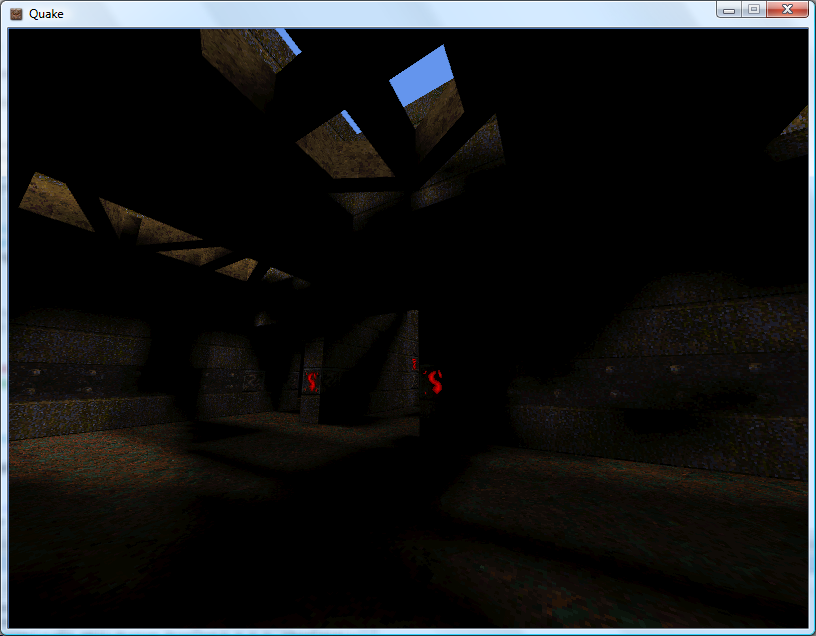
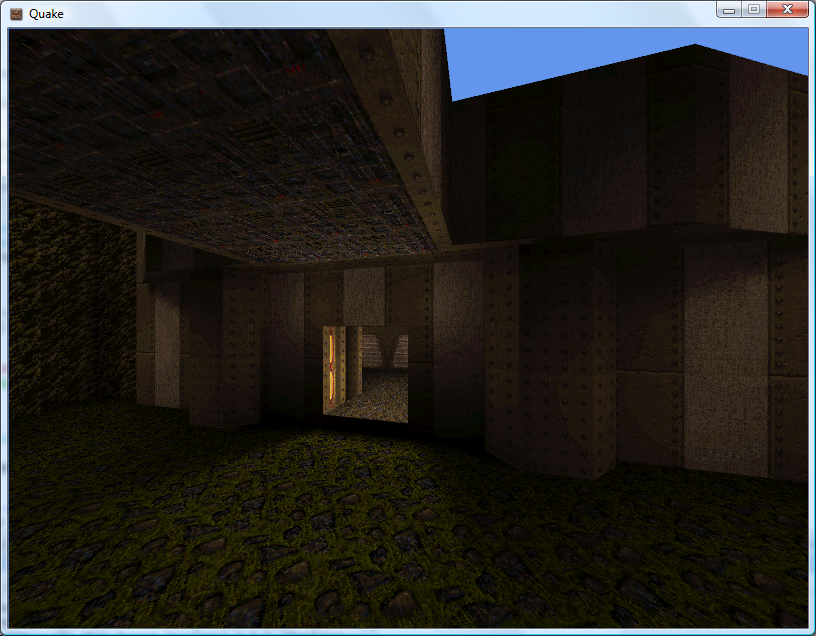
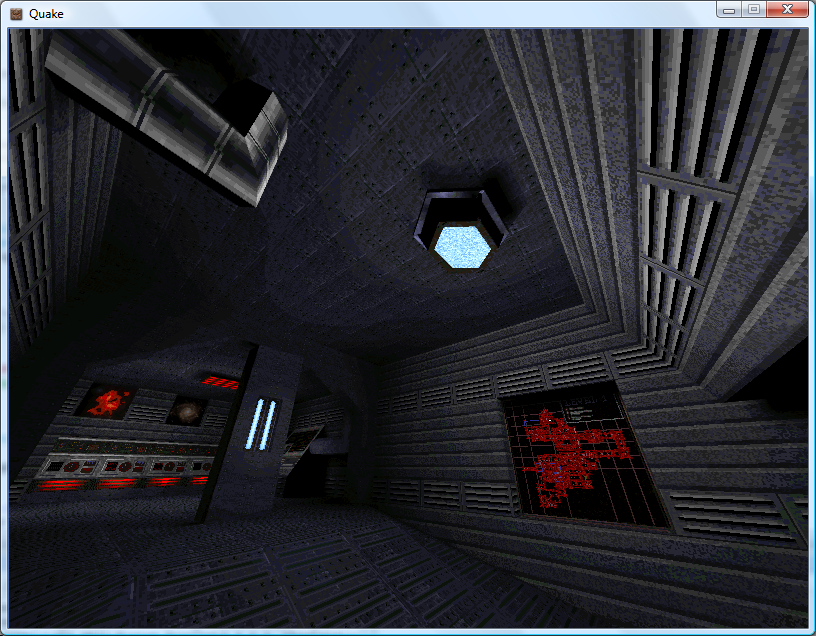
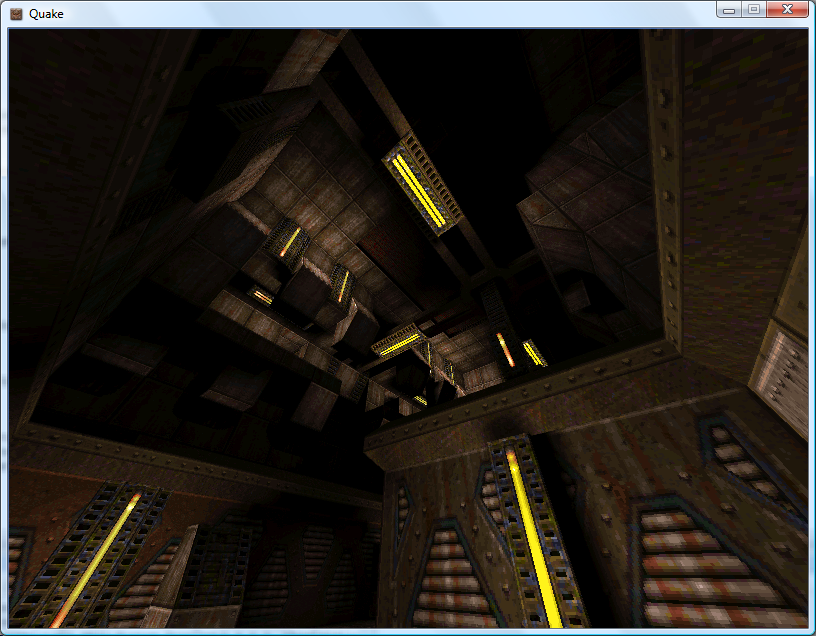
As I'm not loading the mip-maps (and am letting Direct3D handle generation of mip-maps for me) I have to disable mip-mapping for the above to work, as otherwise you'd end up with non-integral palette indices. The results are therefore a bit noisier in the distance than in vanilla Quake, but I like the 8-bit palette look. At least the fullbright colours work.
Less Colourful Quake 2
Monday, 6th August 2007
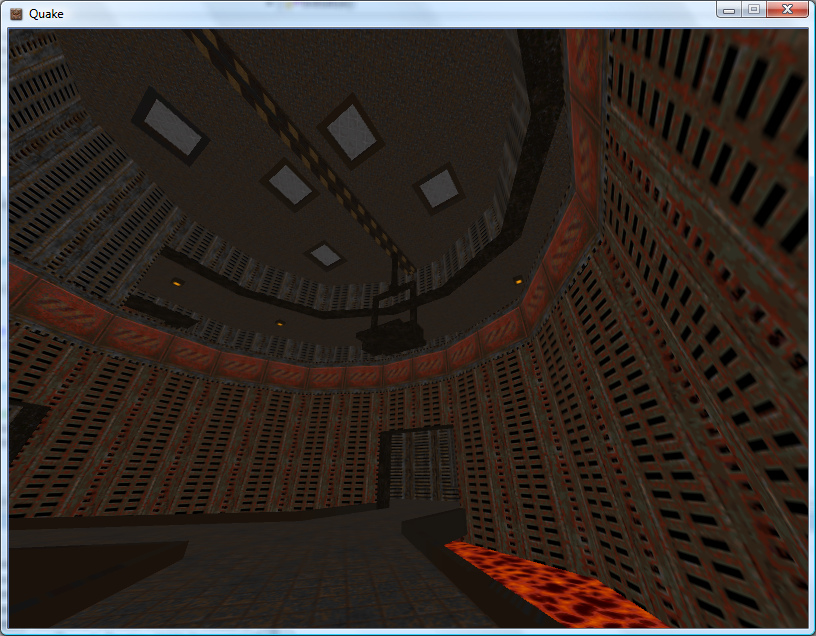
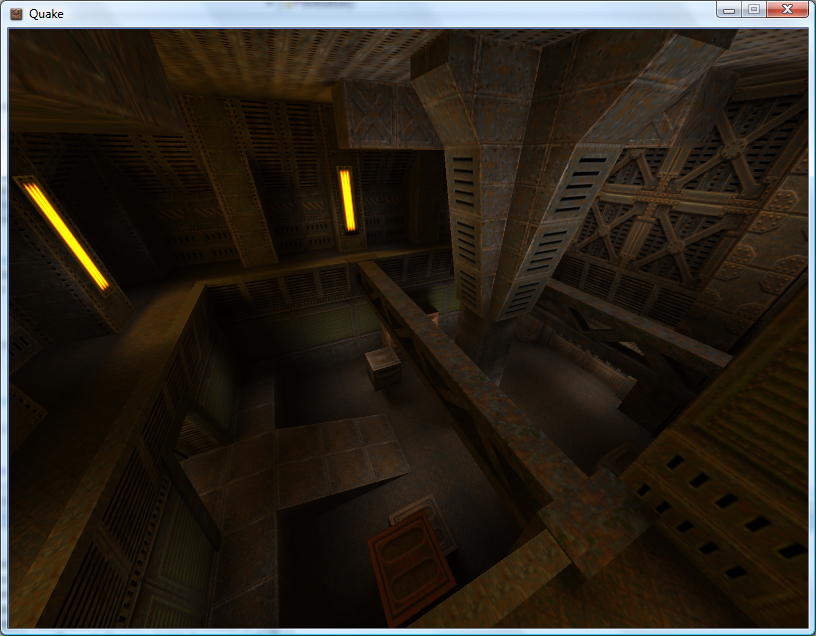
I've transferred the BSP rendering code to use the new level loading code, so I can now display correctly-coloured Quake 2 levels. The Quake stuff is in its own assembly, and is shared by the WinForms resource browser project and the XNA renderer.
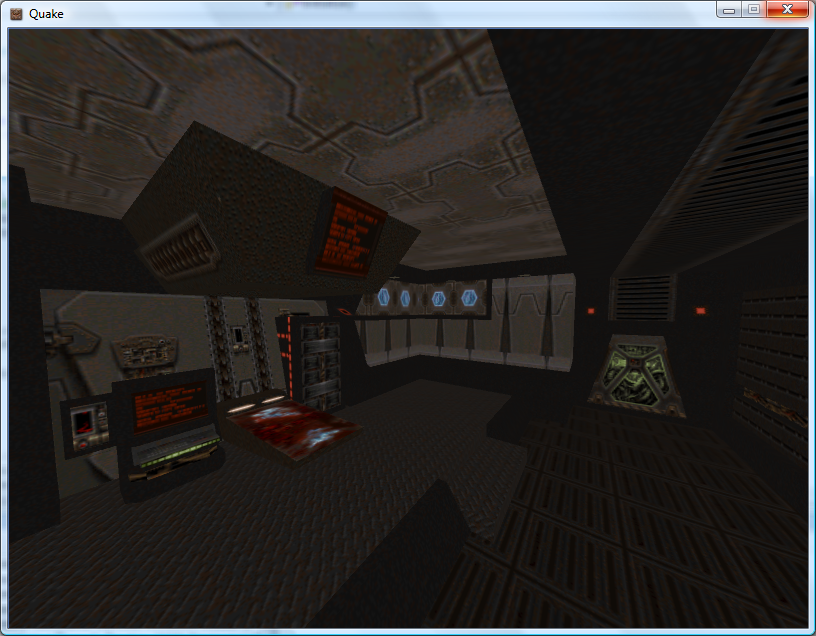
I'm also now applying lightmaps via multiplication rather than addition, so they look significantly better.
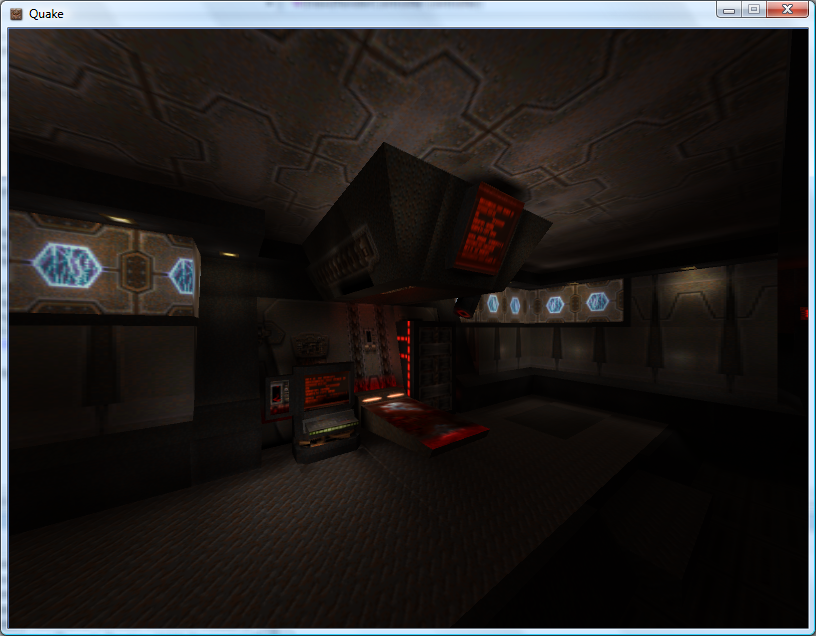
A shader solution would be optimal. I'm currently just drawing the geometry twice, the second time with some alpha blending enabled.
Keyboard Handler Fix
Friday, 3rd August 2007
ArchG indicated a bug in the TextInputHandler class I posted a while back - no reference to the delegate instance used for the unmanaged callback is held, so as soon as the garbage collector kicks in things go rather horribly wrong.
/* * * * * * * * * * * * * * * * * * * * * * * * * * * * * * * * * * * * * * * * * * * * * * *
 * XnaTextInput.TextInputHandler - benryves@benryves.com                                     *
 * * * * * * * * * * * * * * * * * * * * * * * * * * * * * * * * * * * * * * * * * * * * * * *
 * This is quick and very, VERY dirty.                                                       *
 * It uses Win32 message hooks to grab messages (as we don't get a nicely wrapped WndProc).  *
 * I couldn't get WH_KEYBOARD to work (accessing the data via its pointer resulted in access *
 * violation exceptions), nor could I get WH_CALLWNDPROC to work.                            *
 * Maybe someone who actually knows what they're  doing can work something out that's not so *
 * kludgy.                                                                                   *
 * * * * * * * * * * * * * * * * * * * * * * * * * * * * * * * * * * * * * * * * * * * * * * *
 * This quite obviously relies on a Win32 nastiness, so this is for Windows XNA games only!  *
 * * * * * * * * * * * * * * * * * * * * * * * * * * * * * * * * * * * * * * * * * * * * * * */

#region Using Statements
using System;
using System.Runtime.InteropServices;
using System.Windows.Forms; // This class exposes WinForms-style key events.
#endregion

namespace XnaTextInput {

	/// <summary>
	/// A class to provide text input capabilities to an XNA application via Win32 hooks.
	/// </summary>
	class TextInputHandler : IDisposable {

		#region Win32

		/// <summary>
		/// Types of hook that can be installed using the SetWindwsHookEx function.
		/// </summary>
		public enum HookId {
			WH_CALLWNDPROC = 4,
			WH_CALLWNDPROCRET = 12,
			WH_CBT = 5,
			WH_DEBUG = 9,
			WH_FOREGROUNDIDLE = 11,
			WH_GETMESSAGE = 3,
			WH_HARDWARE = 8,
			WH_JOURNALPLAYBACK = 1,
			WH_JOURNALRECORD = 0,
			WH_KEYBOARD = 2,
			WH_KEYBOARD_LL = 13,
			WH_MAX = 11,
			WH_MAXHOOK = WH_MAX,
			WH_MIN = -1,
			WH_MINHOOK = WH_MIN,
			WH_MOUSE_LL = 14,
			WH_MSGFILTER = -1,
			WH_SHELL = 10,
			WH_SYSMSGFILTER = 6,
		};

		/// <summary>
		/// Window message types.
		/// </summary>
		/// <remarks>Heavily abridged, naturally.</remarks>
		public enum WindowMessage {
			WM_KEYDOWN = 0x100,
			WM_KEYUP = 0x101,
			WM_CHAR = 0x102,
		};

		/// <summary>
		/// A delegate used to create a hook callback.
		/// </summary>
		public delegate int GetMsgProc(int nCode, int wParam, ref Message msg);

		/// <summary>
		/// Install an application-defined hook procedure into a hook chain.
		/// </summary>
		/// <param name="idHook">Specifies the type of hook procedure to be installed.</param>
		/// <param name="lpfn">Pointer to the hook procedure.</param>
		/// <param name="hmod">Handle to the DLL containing the hook procedure pointed to by the lpfn parameter.</param>
		/// <param name="dwThreadId">Specifies the identifier of the thread with which the hook procedure is to be associated.</param>
		/// <returns>If the function succeeds, the return value is the handle to the hook procedure. Otherwise returns 0.</returns>
		[DllImport("user32.dll", EntryPoint = "SetWindowsHookExA")]
		public static extern IntPtr SetWindowsHookEx(HookId idHook, GetMsgProc lpfn, IntPtr hmod, int dwThreadId);

		/// <summary>
		/// Removes a hook procedure installed in a hook chain by the SetWindowsHookEx function.
		/// </summary>
		/// <param name="hHook">Handle to the hook to be removed. This parameter is a hook handle obtained by a previous call to SetWindowsHookEx.</param>
		/// <returns>If the function fails, the return value is zero. To get extended error information, call GetLastError.</returns>
		[DllImport("user32.dll")]
		public static extern int UnhookWindowsHookEx(IntPtr hHook);

		/// <summary>
		/// Passes the hook information to the next hook procedure in the current hook chain.
		/// </summary>
		/// <param name="hHook">Ignored.</param>
		/// <param name="ncode">Specifies the hook code passed to the current hook procedure.</param>
		/// <param name="wParam">Specifies the wParam value passed to the current hook procedure.</param>
		/// <param name="lParam">Specifies the lParam value passed to the current hook procedure.</param>
		/// <returns>This value is returned by the next hook procedure in the chain.</returns>
		[DllImport("user32.dll")]
		public static extern int CallNextHookEx(int hHook, int ncode, int wParam, ref Message lParam);

		/// <summary>
		/// Translates virtual-key messages into character messages.
		/// </summary>
		/// <param name="lpMsg">Pointer to an Message structure that contains message information retrieved from the calling thread's message queue.</param>
		/// <returns>If the message is translated (that is, a character message is posted to the thread's message queue), the return value is true.</returns>
		[DllImport("user32.dll")]
		public static extern bool TranslateMessage(ref Message lpMsg);


		/// <summary>
		/// Retrieves the thread identifier of the calling thread.
		/// </summary>
		/// <returns>The thread identifier of the calling thread.</returns>
		[DllImport("kernel32.dll")]
		public static extern int GetCurrentThreadId();

		#endregion

		#region Hook management and class construction.

		/// <summary>Handle for the created hook.</summary>
		private readonly IntPtr HookHandle;

		private readonly GetMsgProc ProcessMessagesCallback;

		/// <summary>Create an instance of the TextInputHandler.</summary>
		/// <param name="whnd">Handle of the window you wish to receive messages (and thus keyboard input) from.</param>
		public TextInputHandler(IntPtr whnd) {
			// Create the delegate callback:
			this.ProcessMessagesCallback = new GetMsgProc(ProcessMessages);
			// Create the keyboard hook:
			this.HookHandle = SetWindowsHookEx(HookId.WH_GETMESSAGE, this.ProcessMessagesCallback, IntPtr.Zero, GetCurrentThreadId());
		}

		public void Dispose() {
			// Remove the hook.
			if (this.HookHandle != IntPtr.Zero) UnhookWindowsHookEx(this.HookHandle);
		}

		#endregion

		#region Message processing

		private int ProcessMessages(int nCode, int wParam, ref Message msg) {
			// Check if we must process this message (and whether it has been retrieved via GetMessage):
			if (nCode == 0 && wParam == 1) {

					// We need character input, so use TranslateMessage to generate WM_CHAR messages.
					TranslateMessage(ref msg);

					// If it's one of the keyboard-related messages, raise an event for it:
					switch ((WindowMessage)msg.Msg) {
						case WindowMessage.WM_CHAR:
							this.OnKeyPress(new KeyPressEventArgs((char)msg.WParam));
							break;
						case WindowMessage.WM_KEYDOWN:
							this.OnKeyDown(new KeyEventArgs((Keys)msg.WParam));
							break;
						case WindowMessage.WM_KEYUP:
							this.OnKeyUp(new KeyEventArgs((Keys)msg.WParam));
							break;
					}

			}

			// Call next hook in chain:
			return CallNextHookEx(0, nCode, wParam, ref msg);
		}

		#endregion

		#region Events

		public event KeyEventHandler KeyUp;
		protected virtual void OnKeyUp(KeyEventArgs e) {
			if (this.KeyUp != null) this.KeyUp(this, e);
		}

		public event KeyEventHandler KeyDown;
		protected virtual void OnKeyDown(KeyEventArgs e) {
			if (this.KeyDown != null) this.KeyDown(this, e);
		}

		public event KeyPressEventHandler KeyPress;
		protected virtual void OnKeyPress(KeyPressEventArgs e) {
			if (this.KeyPress != null) this.KeyPress(this, e);
		}

		#endregion
	}
}
I wrote a crude ZSoft PCX loader (only handles 8-bit per plane, single-plane images, which is sufficient for Quake 2).
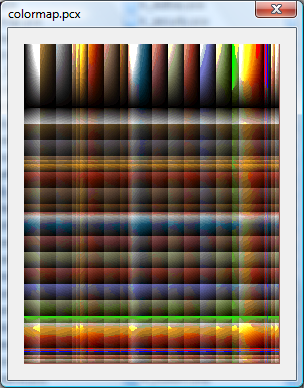
Using this loader I found colormap.pcx, which appears to perform the job of palette and colour map for Quake II.
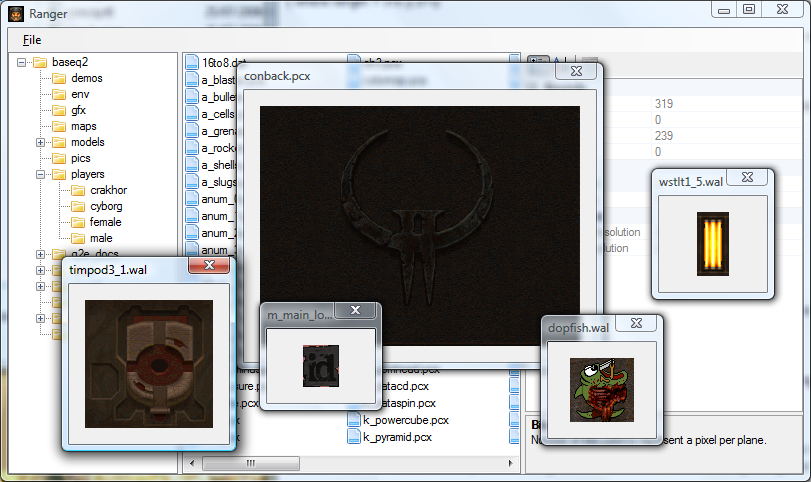
.wal files now open with the correct palette. I've also copied over most of the BSP loading code, but it needs a good going-over to make it slightly more sane (especially where the hacks for Quake II support have been added).
Loader Change
Thursday, 2nd August 2007
I've started rewriting the underlying resource loading code to better handle multiple versions of the game.
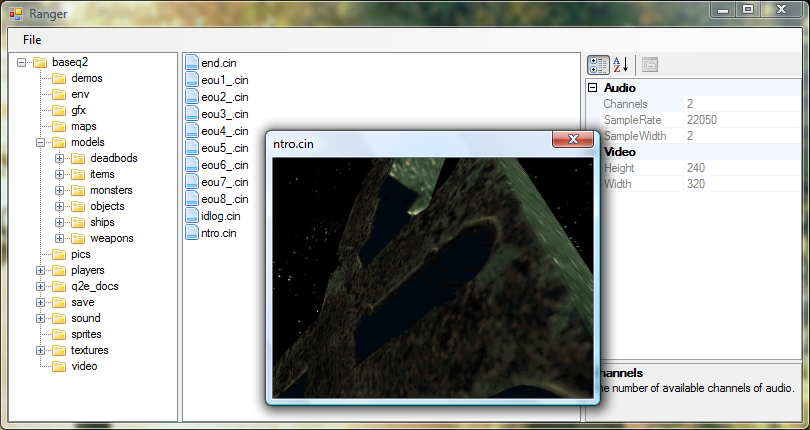
To help with this I'm writing a WinForms-based resource browser.
(That's the only real Quake-related change visible in the above screenshot. I've written a cinematic (.cin, used in Quake 2) loader).
To aid loading resources I've added a number of new generic types. For example, the Picture class always represents a 32-bit per pixel ARGB 2D picture. The decoders for various formats will always have access to the resource manager, so they can request palette information if they need it. To further aid issues, there are some handy interfaces that a specific format class can implement - for example, a class (such as WallTexture for handling .wal files) implementing IPictureLoader will always have a GetPicture() method.
The loader classes are also given attributes specifying which file extensions are handled. (This project uses quite a bit of reflection now). The only issue I can see with this are files that use the same extension but have different types, such as the range of .lmp files.
In addition, certain single files within the packages have multiple sub-files (for example, the .wad files in Quake). I'm not sure how I'll handle this, but I'm currently thinking of having the .wad loader implement IPackage so you could access files via gfx/somewad.wad/somefileinthewad, but some files don't have names or extensions.